
A buyer who can’t find their download isn’t thinking about your next offer. They’re wondering whether their purchase worked. An email welcome sequence for new buyers should answer that question first, then help them move from purchase to first use in their customer journey.
That’s different from a subscriber welcome email series. Subscribers may join through a lead magnet and enter your sales funnel before buying. For a new buyer, the useful starting point is the order itself.
What an email welcome sequence does after a sale
A post-purchase sequence is a buyer-focused welcome email series: a short set of automated welcome emails triggered by an order. Its job is to move a buyer from “I paid” to “I know what to do next.” For a digital creator, that might mean opening a prompt pack, editing a template, or starting the first lesson of a workshop.

Keep delivery separate from onboarding
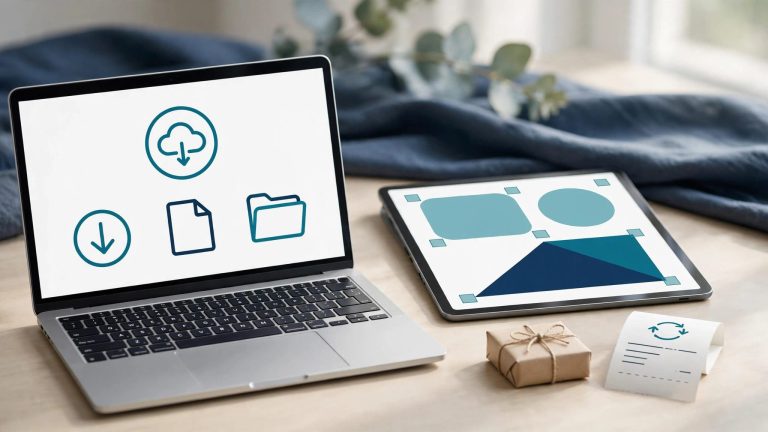
Your receipt and access message need to work even if a buyer never reads another email. Put the download link, login instructions, support contact, and any access deadline where they’re easy to find.
If you use Shopify for digital goods, check its digital download email settings. Its “Downloads ready” notification can tell customers when a file is available. Your later messages can focus on using the product rather than duplicating that notice.
Aim for one first win
Pick an action a beginner can finish quickly. For an AI art prompt pack, it could be generating one image from a starter prompt. For a workbook, it might be completing the first page.
That choice gives each email a clear purpose. A buyer who gets an early result can see the product’s value proposition in action and decide how it fits their work.
Plan around what the buyer purchased
Before drafting, note the product’s value proposition, the first obstacle a buyer might face, and the next step in their customer journey. Needs vary by target audience: a prompt pack buyer may need tool instructions, while a course buyer may need a lesson order and time estimate.
Unlike an email funnel built around a lead magnet, a post-purchase sequence isn’t a sales funnel for subscribers. The customer already understands the offer well enough to pay. Now they need help applying it, including details your sales page may have left out.
For PLR or AI art products, explain permissions in plain language without stretching the license. If buyers ask whether they can sell an edited file or share source files, point them to the actual terms. Sellers can review product-specific PLR permissions before writing those instructions.
Use first-party data, including purchase details and recurring support questions, to shape onboarding. Repeated questions about ZIP files, Canva access, or image sizes belong in onboarding. A message that prevents a predictable problem is more useful than another paragraph about how exciting the purchase is.
The sequence only works if the files arrive. Check your digital product delivery after checkout before you write a single onboarding email.
Free: the AI Art Starter Pack
Want art to practice with? Grab a free pack of AI art images you can use to make your first printable, template or freebie, no prompting required.
Plan the first week after purchase
As the post-purchase onboarding part of a broader email funnel, start with four messages over seven days, plus the separate receipt or delivery notification. This is a working plan, not a rule: a short download may need less guidance, while a workshop may need messages tied to its schedule.

Each message should help the buyer take one step.
| Timing | Goal | Message idea |
|---|---|---|
| Immediately after access is ready | Remove uncertainty | “Your files are ready” with the access link and support contact. |
| Day 1 | Help the buyer start | “Make your first image with this prompt” or “Start with page one.” |
| Day 3 | Clear a common obstacle | “Getting mismatched results? Try these two settings.” |
| Day 7 | Learn what happened and offer a next step | “How did your first project go?” with a feedback link or relevant resource. |
Send the immediate message when the file or account is available, not simply when payment clears. If access takes time, say so in the confirmation.
For a coaching program, replace the day-one download tip with preparation for the first session. For an AI art bundle, show a small project the buyer can complete with the files they received. Save a related paid offer for later, after you’ve helped them get started. Relevant discount codes can be optional, not a required step. If you do recommend an offer, match PLR products to your customers rather than suggesting an unrelated bundle.
Write emails people can use in minutes
A helpful email needs a recognizable subject line, a short explanation, and one main call to action. New buyers shouldn’t have to search a long message for the button that opens their purchase. Make sure that action helps them realize the product’s value proposition.
Make subject lines clear about the task
These welcome email examples use the product name when it helps buyers recognize a message in a crowded inbox. “Your Woodland Art Prompts are ready” is clearer than “A surprise inside!” Once buyers have received the files, shift the subject toward a small result: “Try your first nursery print” or “A fix for uneven image sizes.”
Avoid claiming a deadline unless one exists. A discount expiry can be stated plainly, but invented urgency makes a support email feel like another sales pitch.
Give the next action enough context
A day-one message for a prompt pack might say: “Open the starter prompts and choose one theme. Generate three versions before changing the wording; you’ll have a clearer sense of what the prompt controls.” Then link directly to the starter file.
A day-three message could address a likely snag: “If your artwork looks inconsistent, keep the subject and style words the same across your first set.” If the product includes examples, show where to find them. Any social proof should be a genuine buyer result, not a substitute for useful instructions. Don’t promise a bestseller or identical results in every image tool.
Finish with one clear button or link, such as “Open the starter prompts.” Put support details below it so help is available without competing with the main action.
Personalize without building a complicated funnel
The simplest personalization starts with the order: product name, access link, format, and the problem it solves. These details matter more than adding a buyer’s first name to a generic message.

Segment by product and experience
A first-time Canva template buyer may need editing instructions. Someone who bought an advanced AI art bundle may prefer examples showing how to combine its assets. Use purchase history and product experience to shape the customer journey instead of sending every customer the same beginner lesson.
Keep recommendations tied to the product’s job. For example, a buyer building a themed print collection might welcome sizing guidance before an offer for more artwork. If your own products use PLR or AI assets, practical ways to use AI art in PLR products can help shape those use cases.
Let actions change the follow-up
Use first-party data from purchase history and product-use events, such as downloads or lesson starts, to distinguish buyers who began from those who may need access help. An email click alone only shows that someone clicked, not that they used the product.
A support request should also change the tone of the next message. Pause promotional recommendations while the issue is unresolved. For SMS, send a time-sensitive access notice only when the buyer has given the required permission, and don’t repeat every email by text.
Build and test the automation
Your email service provider may support email marketing automation, letting you connect a store, choose an order event, add delays, and branch messages. Before launch, confirm it reliably sends purchase, behavior, and access events, along with the first-party data those triggers need.
Choose an order-based trigger
In Klaviyo, a post-purchase flow can begin with a Placed Order trigger, then send automated welcome emails. Its post-purchase flow instructions also show how conditional splits can route customers. Add product-based conditions to guide buyers through the right email funnel, so a workbook buyer doesn’t receive instructions for an art bundle.
Keep receipts and access information independent of promotional email permission. Your email marketing strategy should distinguish transactional access messages from commercial follow-ups. Review which messages fall into each category before you publish the flow.
Run a real test purchase
Buy each product type through your checkout or use a supported test mode. Confirm that the access email arrives, every link works, delays start at the intended time, and each branch receives the right content. Check mobile display and reply handling too.
For commercial messages, include an unsubscribe option and follow the rules that apply to your audience. The FTC’s CAN-SPAM compliance guide explains that recipients must be able to stop all marketing messages, even if you offer preferences for certain types.
Measure whether buyers are getting started
Open rates can offer clues about subject lines, but they don’t reliably measure product use. Track the action each message asks for, such as delivered emails, unique clicks, confirmed downloads, lesson starts, and replies. Clicks alone don’t confirm that buyers used the product.
Set a baseline for each product instead of blending all buyers together. Use first-party data to confirm downloads or lesson starts, then divide confirmed first actions by trackable orders to estimate an activation rate. Watch support requests, refunds, unsubscribes, and later purchases for signs the experience needs work. Assess the conversion rate of a later, relevant offer separately.
If many buyers open the access message but contact support, inspect the link and instructions first. If they download a workbook but never begin, shorten the first assignment. Buyer behavior gives you more to work with than a compliment about the email design.
Key takeaways
- Start the buyer sequence with reliable access, then guide one useful first action.
- Match instructions to the purchased product and branch when you have dependable behavior data.
- Treat four messages in a week as a starting test, then adjust using product use and support feedback.
- Keep optional offers separate from essential purchase information.
Keep learning
Round out your email setup with a 5-email prelaunch sequence before the sale and abandoned cart emails for buyers who hesitate. For free AI art tutorials, visit my That PLR Shop YouTube channel.
Skip the blank page
The AI Art & Marketing Club gives you fresh art, a product plan and a marketing plan every month, so you always know what to make and how to sell it. Prefer to buy one pack at a time? The shop has themed art packs, prompt packs and bundles ready to customize.
Club and shop art can be used to create new finished products that you sell with commercial, PLR or MRR rights. The original images can’t be resold or given away as-is. Full license terms.
Frequently asked questions
How is this different from a subscriber welcome series?
A subscriber series introduces your business and helps someone decide whether to buy. A buyer series starts after an order and focuses on access, first use, support, and a relevant next step.
Should every buyer receive a discount?
No. A discount isn’t needed to explain a purchase or help someone use it. If you offer discount codes later, make them relevant to the product they bought and state any genuine deadline clearly.
When should I stop the sequence?
Stop or change a message when it no longer fits the buyer’s situation. Someone who has requested a refund shouldn’t receive a request for a review. A customer waiting for support shouldn’t get a sales reminder about a related product.
Conclusion
The first post-purchase email should settle the worry that opened this conversation: did the purchase work? Once access is clear, each message can help the buyer make progress with what they bought.
Build the first useful action into your sequence, test the complete path, and let real buyer behavior guide what you change next.
Share On Pinterest!
Want to come back to this later? Save one of these pins to your Pinterest board.